
The following changes have occurred in the NEST Facilitate (Web) platform:
Faster Work Order Review from the Grid
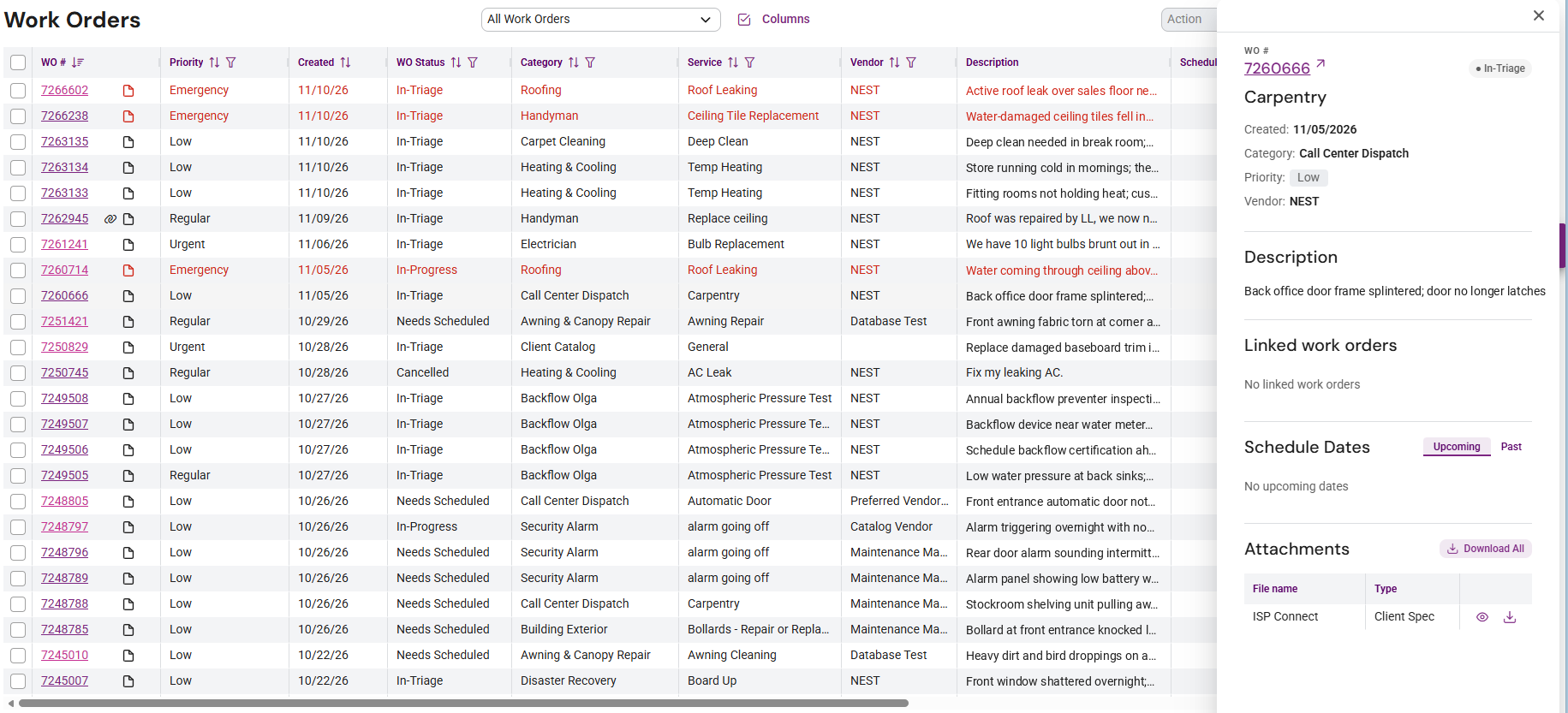
- Attachment indicator: An icon now appears next to any work order that has attachments, so you can spot documentation at a glance.
- Quick-view side panel: Click a work order row, anywhere except the work order number link, to open a side panel with its key details and an attachment preview. You can review work without leaving the grid.
Stronger Proof of Work with ISP Connect eSignature
Service providers using ISP Connect eSignature must now describe the work they performed before the manager signs. That description appears on the work order sign-off.
- Why it matters: Managers approve with a clear record of what was done. This creates a reliable audit trail and reduces disputes and follow-up questions at invoicing.
- Reminder: Your Client Managed Vendors can use ISP Connect at no charge. Encourage them to adopt it so these benefits apply across your vendor network.
Clearer Scheduling on Work Order Details
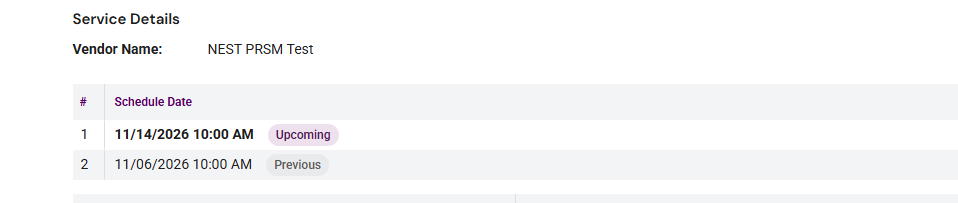
- All schedule dates still appear in one table, and each date is now labeled Upcoming or Previous. You can see where a job stands without comparing dates.
More Confident Notifications in Notes
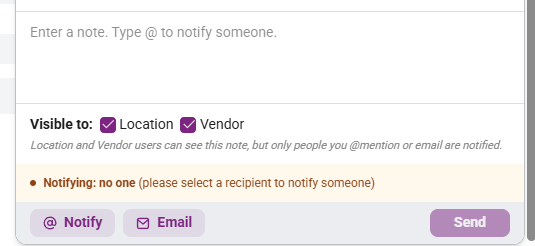
- The Notes panel now shows how to notify others with @ Notify and exactly who will be notified, so the right people are informed every time.
Track Priorities with My Flagged WOs
- A new My Flagged WOs widget on the Corporate and Field Consoles keeps the work orders you’ve flagged in one place.
Mobile: Find Locations Faster
-
New location filters on the mobile Locations page and Work Orders list let you narrow results by City, State, Region, District, Alias, and Address.
Questions?
As always, reach out to your NEST Client Relationship Manager or the Facilitate support team if you have any questions about these changes. We're glad to walk through anything in more detail.