
The following changes have occurred in the NEST Facilitate (Web) platform:
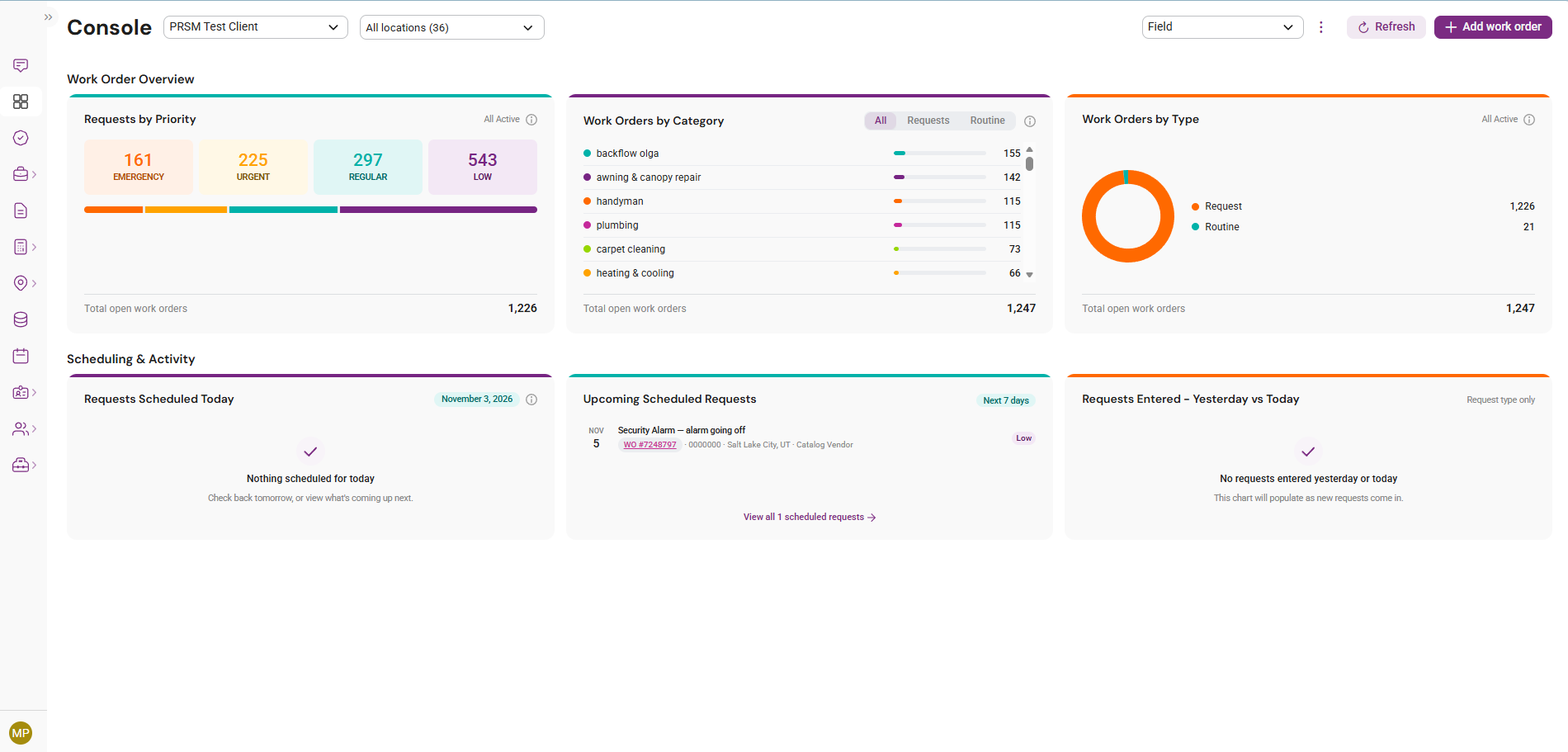
Console – Field Console
- New simplified Field Console with the Work Order Overview and Scheduling & Activity widgets.
- Users with access to multiple consoles can switch between them from the page header.
Console – Custom Views
- Create up to 10 custom views. Add, remove and reorder widgets by drag and drop; changes save automatically.
- Mark any view as Favorite to open it by default.
- Only widgets the user has permission to access are shown.
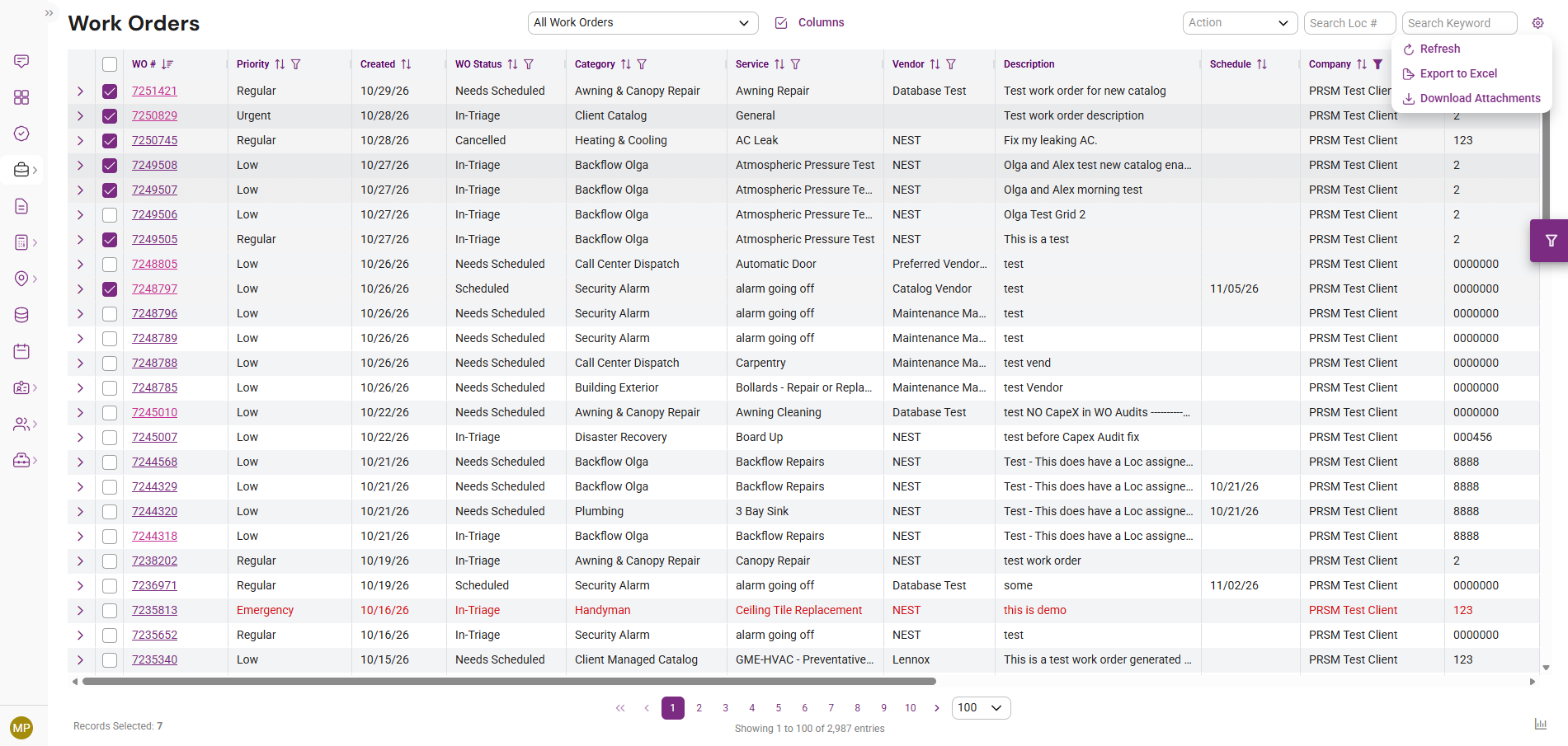
Work Orders – Bulk Attachment Download
- Download attachments for up to 10 selected work orders from the gear menu, next to Export to Excel. Work orders without attachments are skipped.
Locations – Address Filter
- Filter locations by partial Address Line 1 text within the selected company. Works alongside existing location filters.
Bug Fixes
- Work Order Details: the Triage Response tab now displays questions and responses correctly.
- Work Order Details: updating fields such as Service or PO Number no longer changes the vendor on the Work Orders grid to NEST.
- Capital Initiatives: new and updated initiatives appear without a page reload.
- Notifications: the Description Keywords filter is now full width with placeholder text.
- Automation Rules: the View Automation Rules pop-up now displays consistently across screen sizes.
Questions?
As always, reach out to your NEST Client Relationship Manager or the Facilitate support team if you have any questions about these changes. We're glad to walk through anything in more detail.