
The following changes have occurred in the NEST Facilitate (Web) platform:
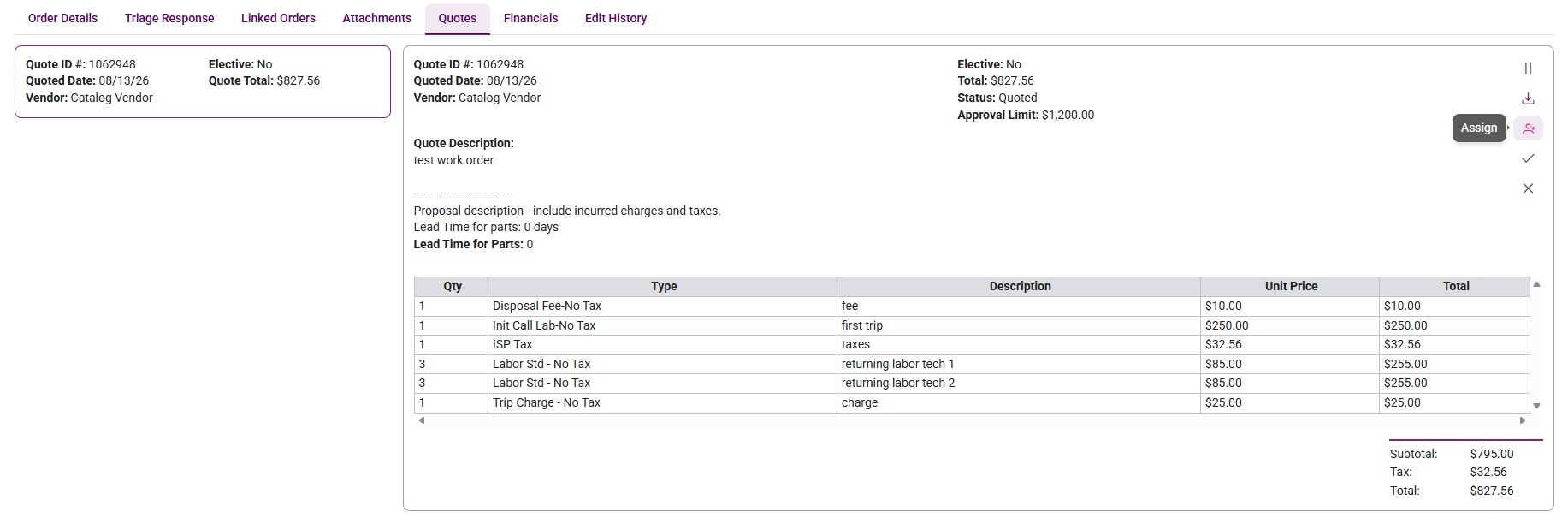
Assign Quotes from Work Order Details
Users with the appropriate permissions can now assign quotes directly from the Work Order Details page.
- Available under the Quotes sub tab.
- Access follows existing user permissions.
Download All Work Order Attachments
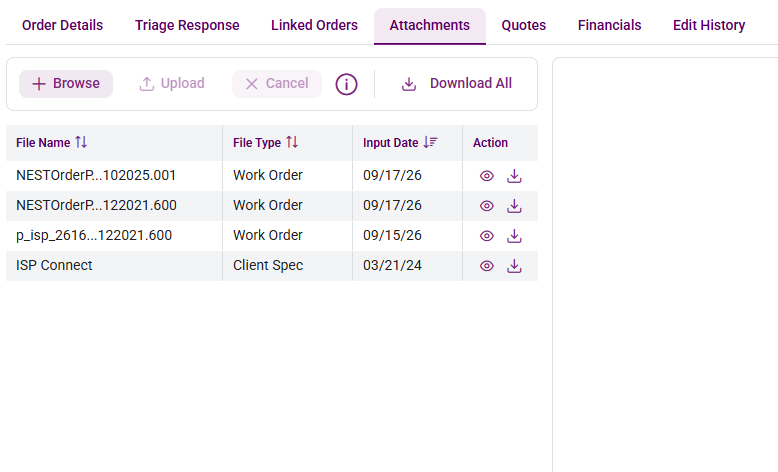
You can now download every attachment on a Work Order in one step.
- A new Download All button on the Attachments tab packages all files into a single .zip, named
WO_{WO#}_attachments.zip. - The button appears only when the Work Order has at least one attachment.
- Downloading a single file from its row works as before.
Client Spec Sheets on Work Order Attachments
Client Spec Sheets are now visible alongside other attachment types on the Work Order Details Attachments tab.
- Users can view and download them, the same as other read-only attachments.
- Client Spec Sheets can’t be selected as a type when uploading new files. They appear only when they already exist on the Work Order.
WO Type on Work Order Details
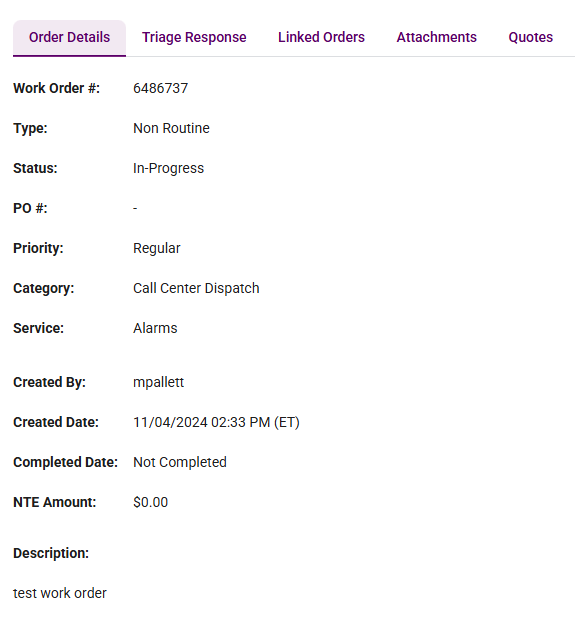
The Work Order Details page now displays the WO Type (Routine / Non-Routine) next to the WO #, so you can see the work classification at a glance.
- Uses the same value and wording as the WO Type column on the Work Order grid.
- Shows “-” when no WO Type is set.
Sticky Table Headers on List Pages
Column headers now stay in view as you scroll, making large lists easier to navigate.
- Applies to the Locations, User Management, Vendors, Programs, Assets and Invoices lists, matching the Work Order list.
- Sorting, filtering and column resizing work as before.
Questions?
As always, reach out to your NEST Client Relationship Manager or the Facilitate support team if you have any questions about these changes. We're glad to walk through anything in more detail.