
The following changes have occurred in the NEST Facilitate (Web) platform:
Refreshed Look and Feel
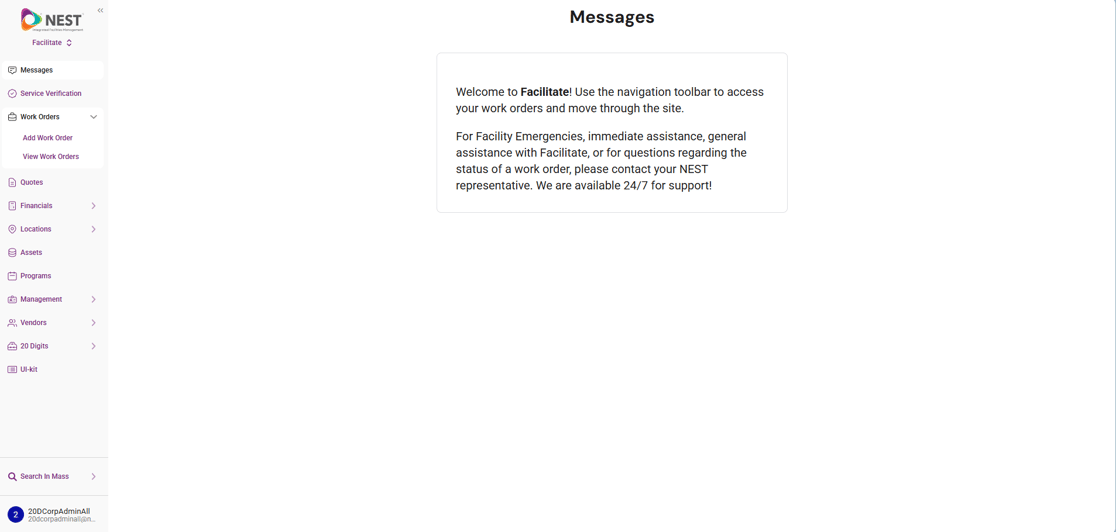
We've migrated Facilitate to a new UI components library.
- Some elements — buttons, menus, form fields — may look slightly different.
- Functionality and your overall experience remain exactly the same. Nothing you rely on today has changed; it's simply a visual refresh under the hood.
Streamlined Add Work Order Page
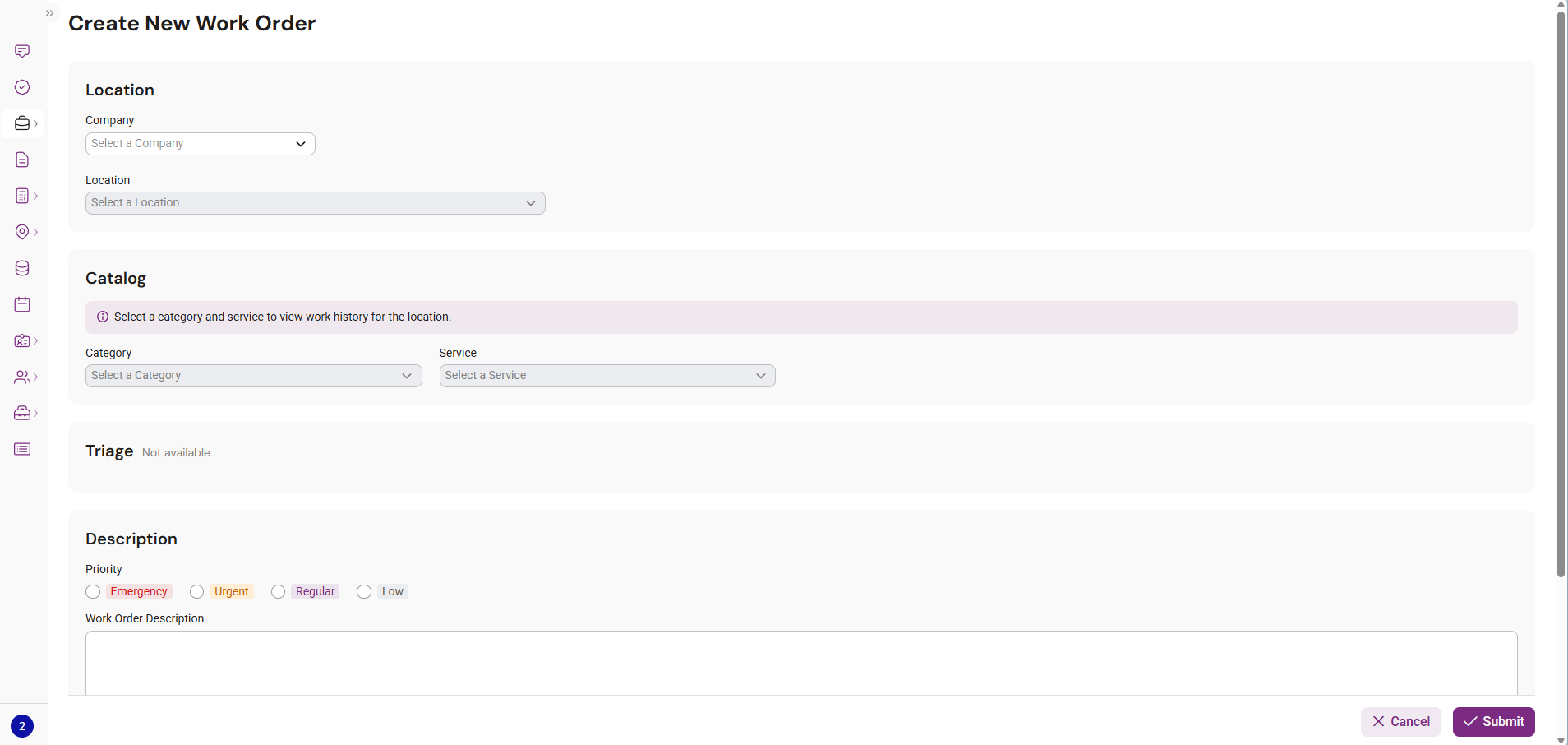
We've redesigned the Add Work Order experience to make it faster to use.
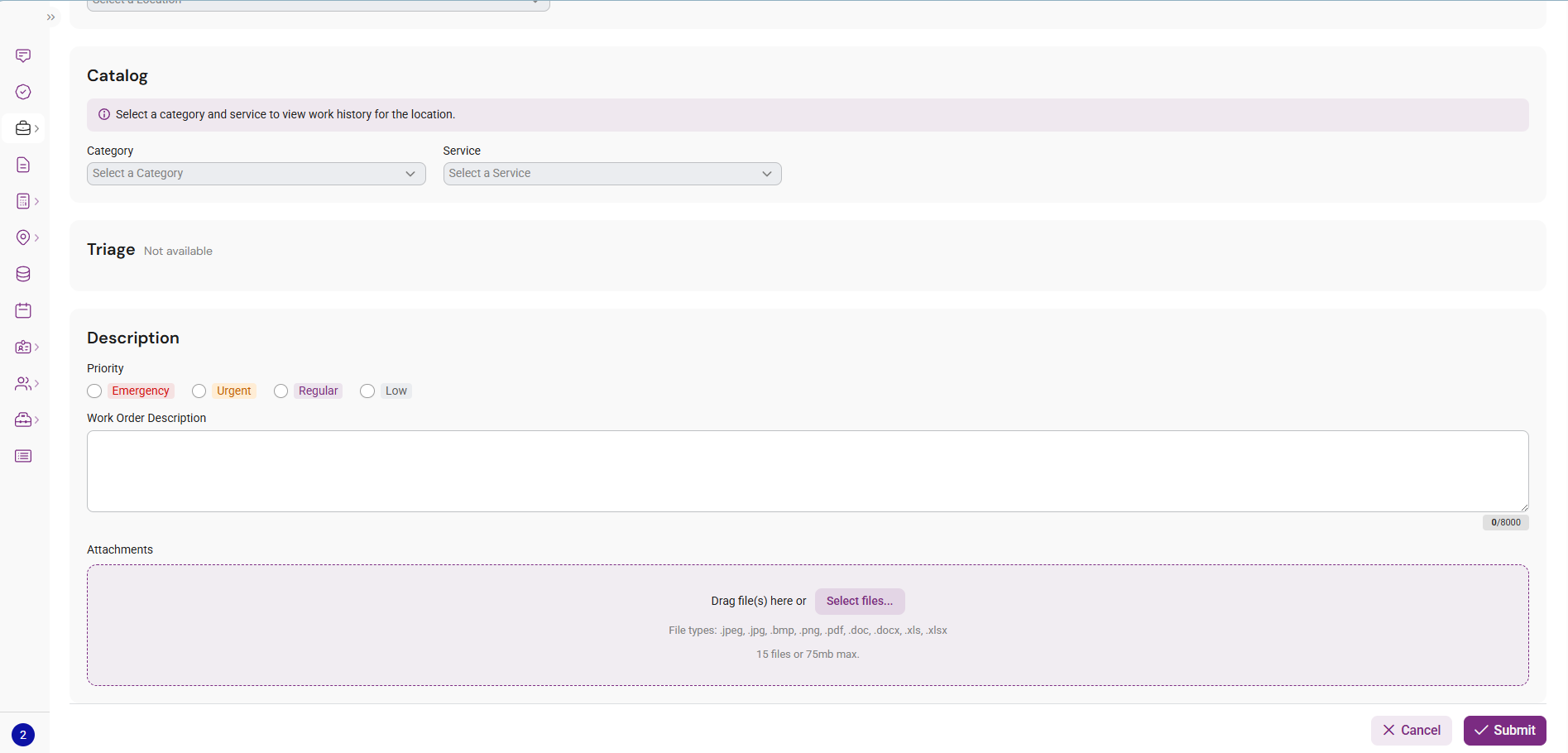
- The previous multi-step (stepper) flow has been replaced with a single-page layout.
- All required information now appears on one page, so you can review and complete a Work Order without clicking through multiple steps.
First-Time Layout Guide
To help you get oriented with the updated interface, we've added a First-Time Layout that appears the first time you log in after this update.
-
-
- It calls out where things have moved — most notably, the user menu, which now lives at the bottom of the page.
- It's designed to get you comfortable with the new layout in just a few seconds.
-
-png.png?width=1920&height=944&name=image%20(29)-png.png)
Questions?
As always, reach out to your NEST Client Relationship Manager or the Facilitate support team if you have any questions about these changes. We're glad to walk through anything in more detail.

