The following changes have occurred in the NEST Facilitate (Web) platform:
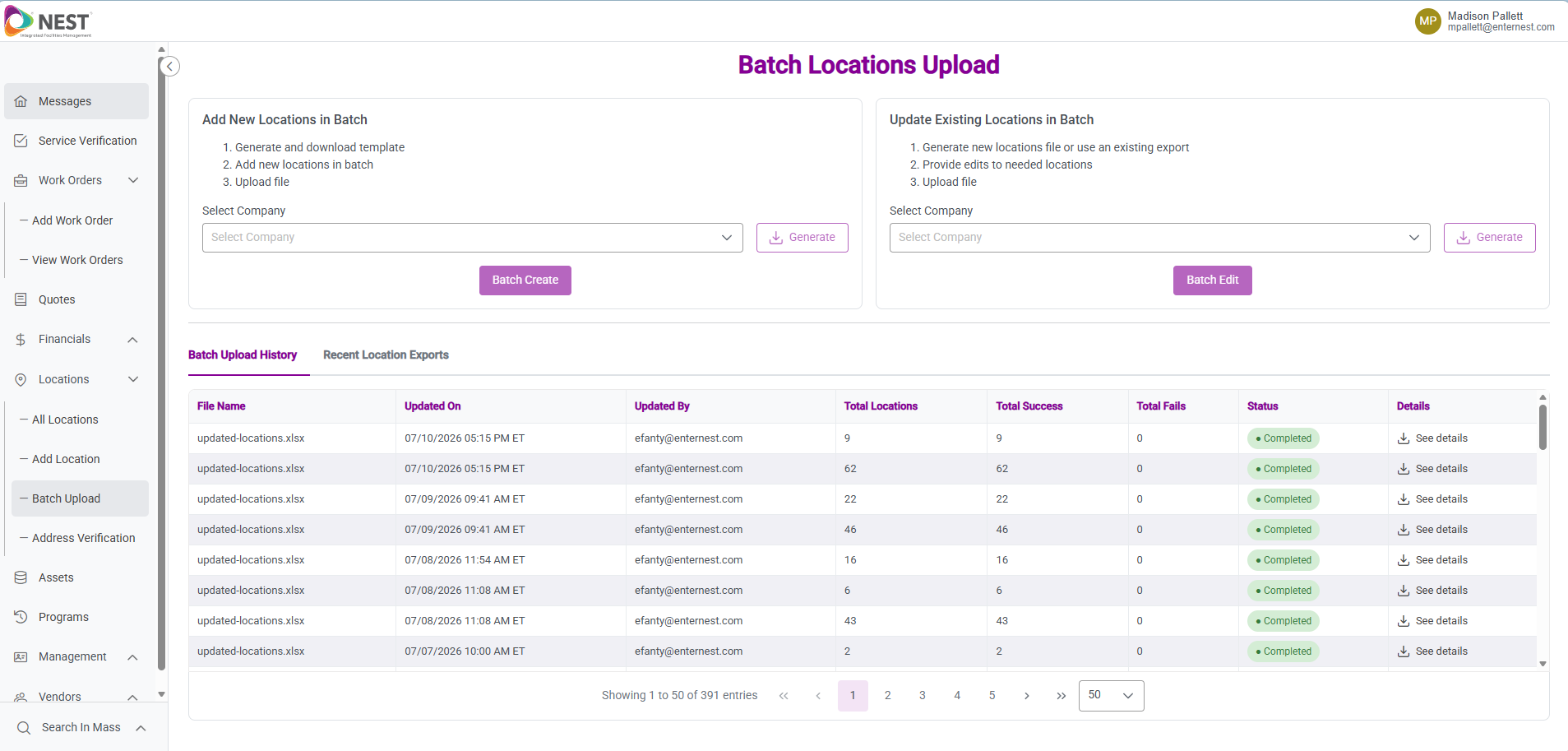
- You can now add or update locations in bulk using downloadable templates, making large-scale
location management faster and more efficient-
This feature reduces manual data entry and helps keep location information consistent across your organization.
- Each template includes step-by-step instructions that must be reviewed carefully before uploading.
- Because bulk updates impact multiple locations at once, we recommend using this tool thoughtfully.
- If you’d like training or a walkthrough, our team is happy to schedule time with you.
-
-
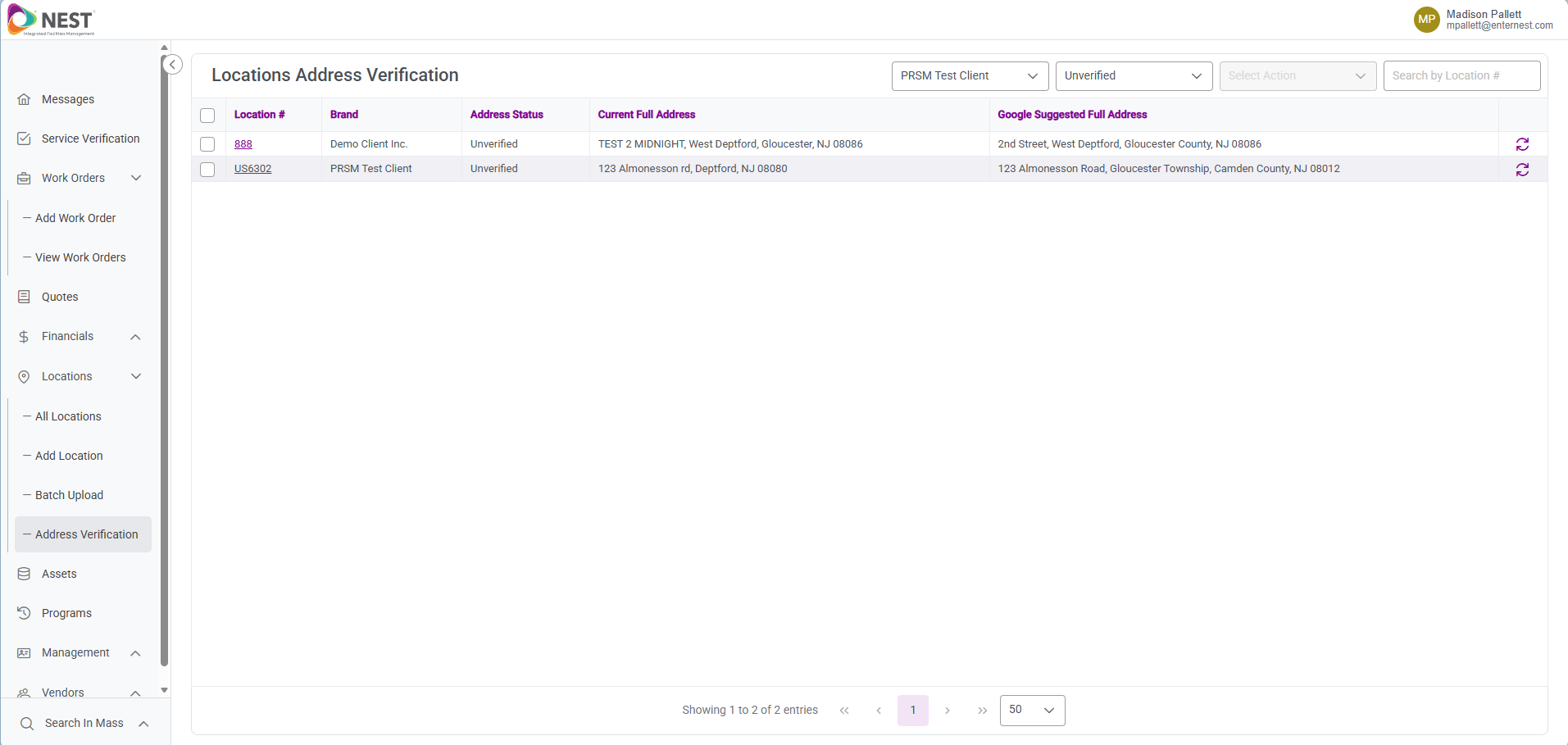
When locations are added or updated in bulk, an overnight Google address validation process runs automatically.
- Any addresses flagged as error-prone will appear in the Address Verification page.
- Users can review Google-suggested corrections and choose to accept or ignore them. Accurate addresses improve geo-fencing accuracy for ISP Connect, ensuring reliable vendor check-in and check-out.
-
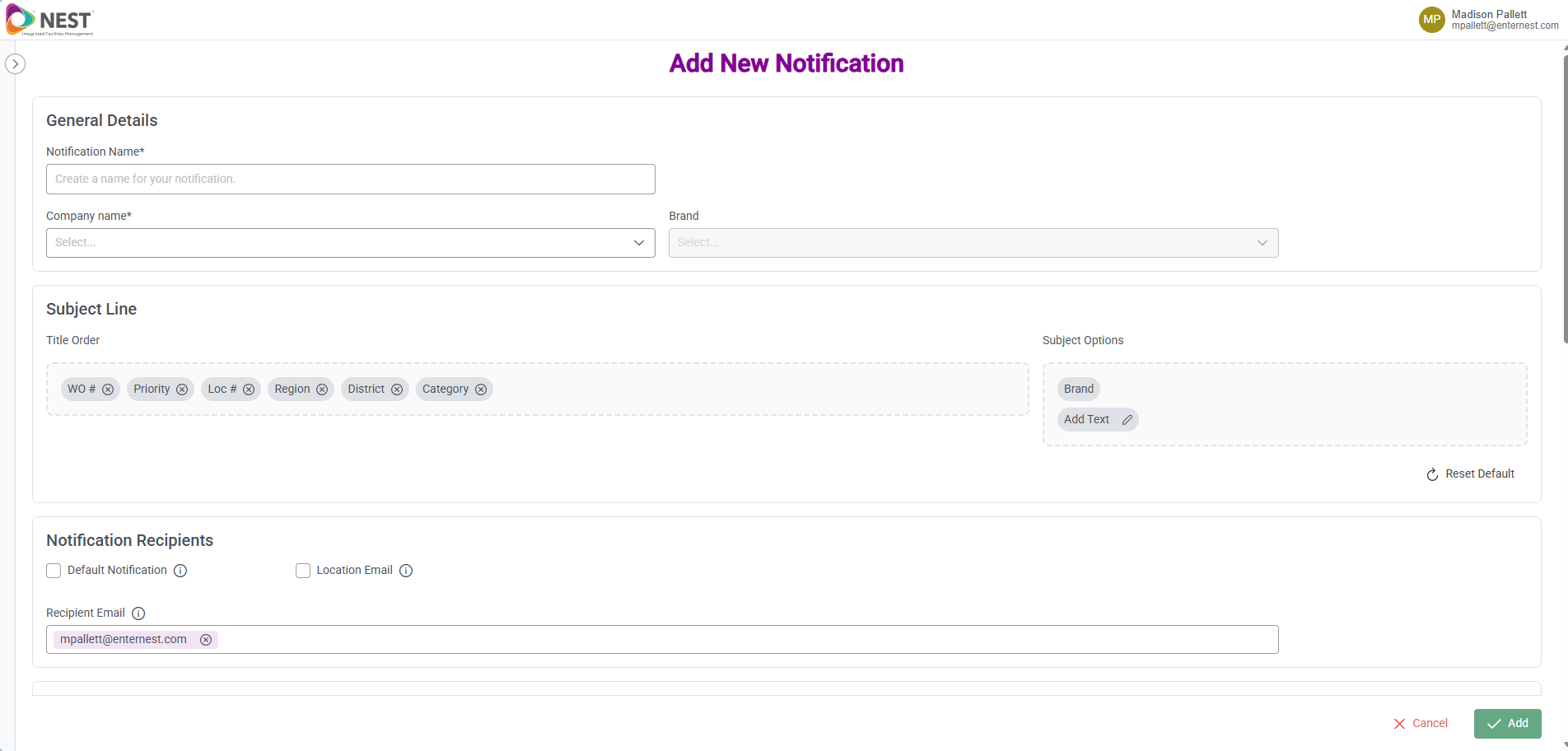
Users can now customize email subject lines for notifications. Custom subject lines make it easier to:
- Set up email rules or filters
- Quickly search and identify important notifications
- Include unique or meaningful data in subject lines
-
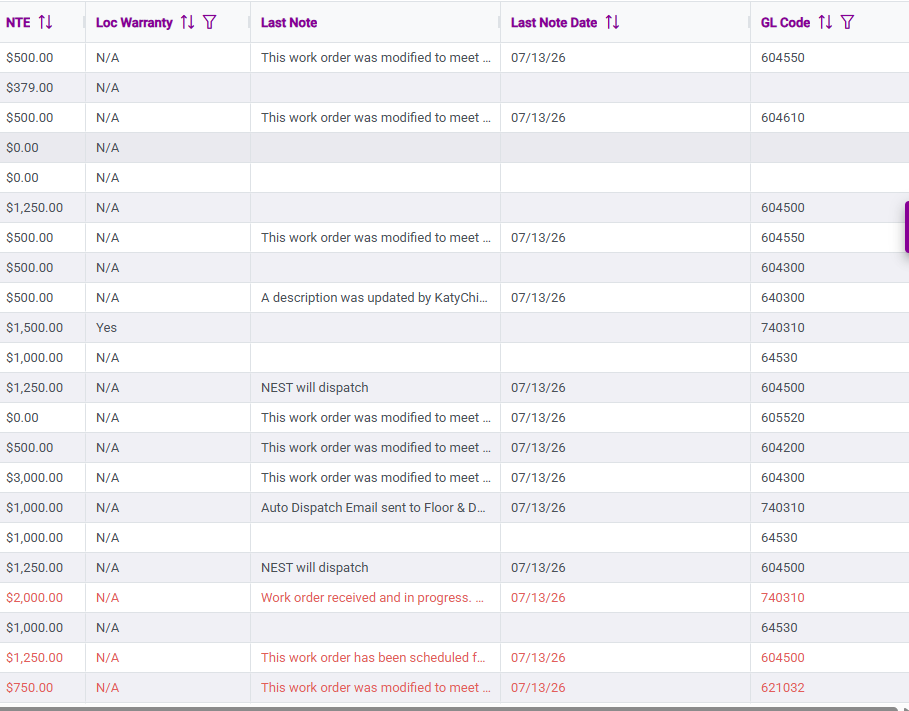
Last Note Date field displays the date and time of the most recent note added to a work order. This helps users quickly understand when a work order was last updated by a vendor, improving auditing and activity tracking.
- The column appears by default on the All Work Orders grid
- It is sortable
- Blank values indicate no notes have been added yet